LexLint for legal teams

You set out the sensitive work the app does and where you believe it operates. Your engineers verify it against the code, adjust it, and send it back until you are in sync.

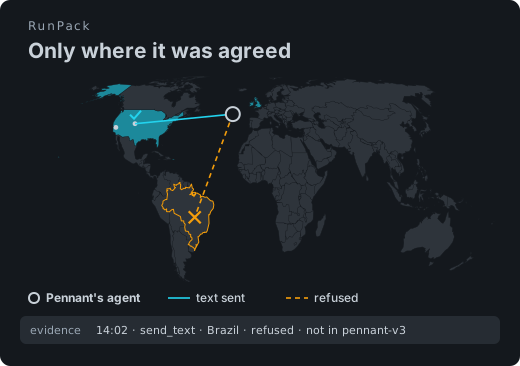
In sync, then in production A cycle of three stages: Counsel declares, the sensitive work, and where it runs; Engineers verify, check it against the code, and adjust; Counsel reviews, what changed, and what the lint found. It repeats until counsel and the engineers are in sync. The in-sync version, Declaration v3, in sync, runs in production, where the agent works only where it was agreed (RunPack, in development). When the app changes, the change goes back into the cycle. Counsel and engineers In sync, then in production Counsel declares the sensitive work, and where it runs Engineers verify check it against the code, and adjust Counsel reviews what changed, and what the lint found Declaration v3, in sync In production the agent works only where it was agreed In development ยท RunPack repeat until in sync when the app changes

Keep in sync with your engineers

Declare, verify, review, and repeat until you are in sync.

Shown on Corran, a sample app. Or simply read what your engineers send you.

  1. Declare the sensitive work, and where it runs

    What you leave out is listed too, so you sign that as well.
    Where Corran operates A world map of Corran's approved declaration. In: Ireland, with the European Union's law; the United Kingdom; and the United States, with California and Colorado marked. Out: every other jurisdiction, each drawn and outlined, the jurisdictions the declaration leaves out. What the declaration covers Where Corran operates In Ireland, the United Kingdom, the United States Out the rest
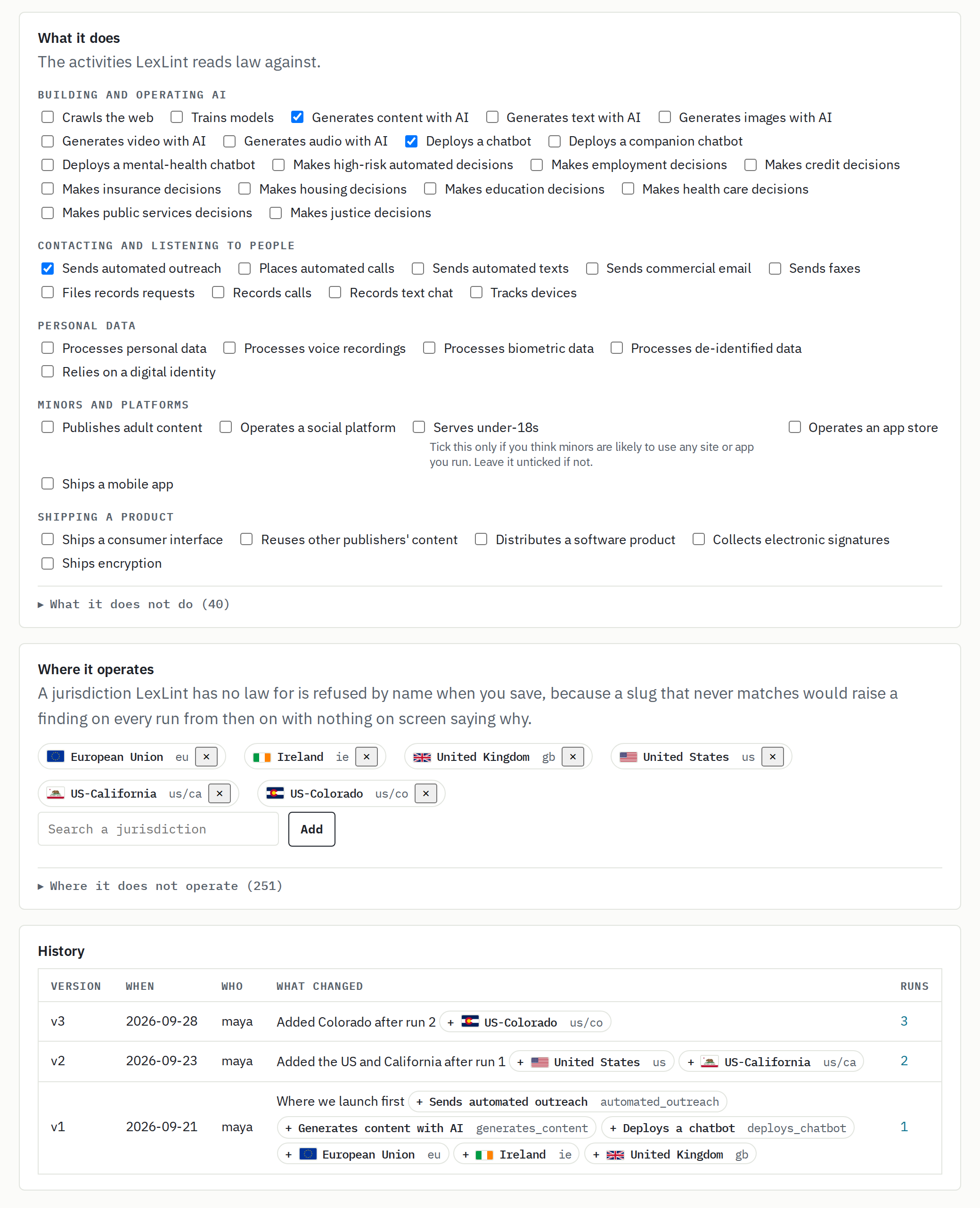
    The Declaration page in My LexLint: Corran's jurisdictions and activities, version 3, with what it leaves out and its history
    Corran's declaration, version 3, with what it leaves out.
  2. Your engineers verify and adjust

    They paste one line into their coding CLI, check it against the code, and send back what changed.
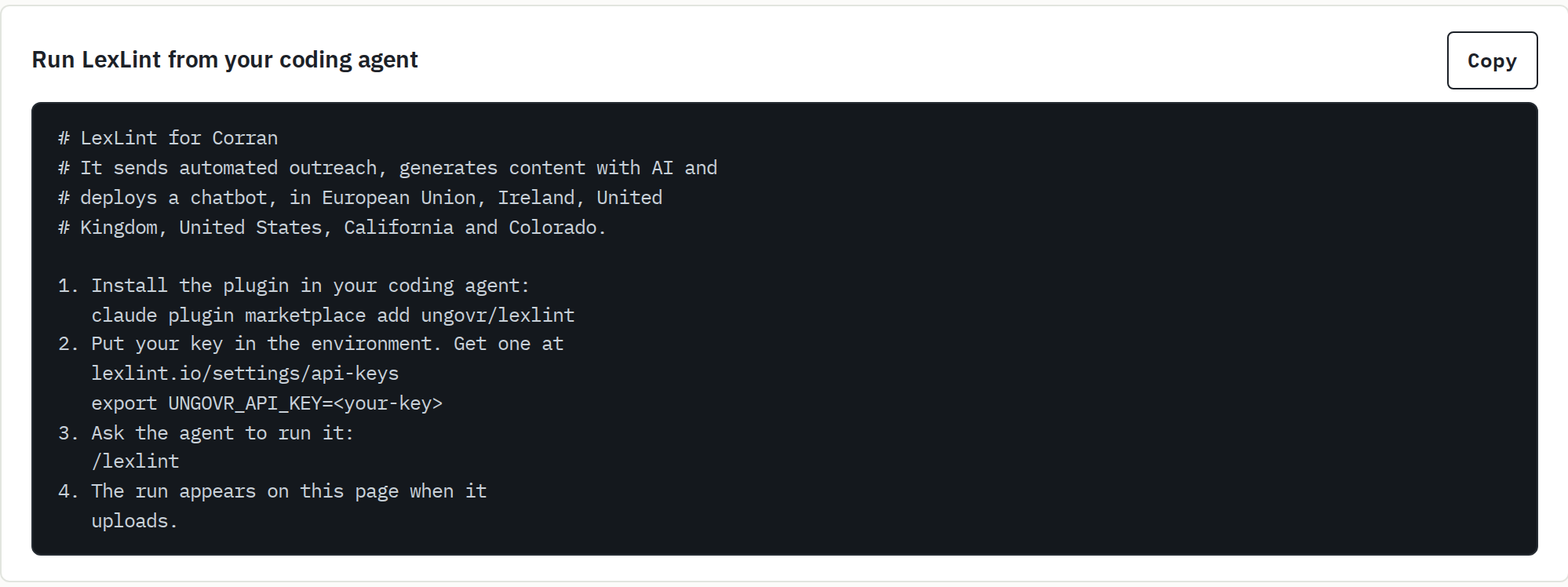
    The line to paste into a coding CLI, on Corran's project page in My LexLint
    The line your engineers paste.
  3. Review what comes back

    What changed, and any question the lint could not settle, arrives with its citation.
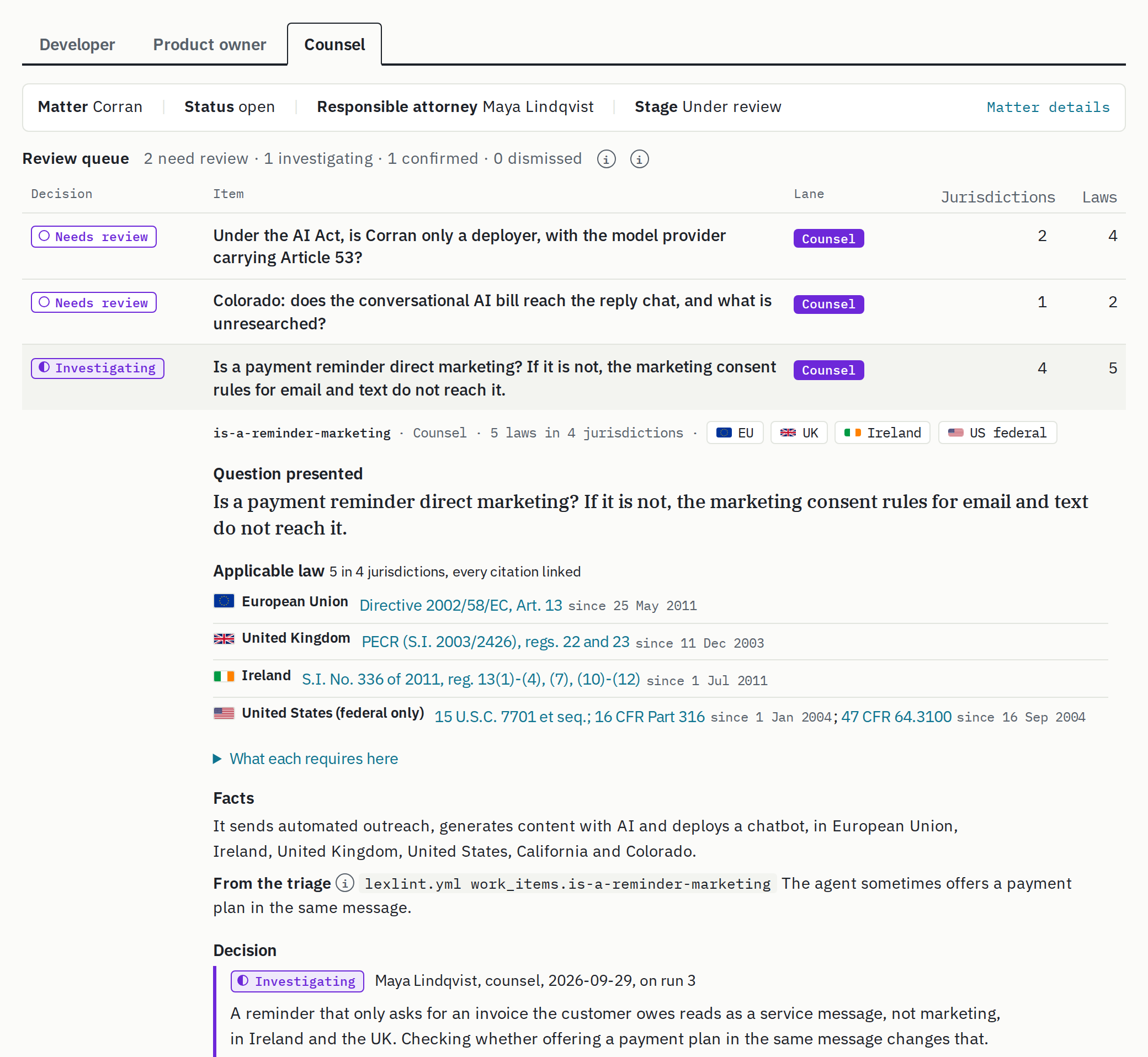
    The Counsel view of a Corran run in My LexLint, with one memo open
    The Counsel view, one memo open.

Repeat until you are in sync. That version is the one used in production.
What crosses, and what never happens

It joins a path that already runs A vertical diagram of where LexLint sits in a path that already runs without it. Reading top to bottom: Engineer, who writes the code; Code and database (already true today), stays on their machine; Coding agent (already true today), already reads that code, and the agent calls a cloud model; a boundary: LexLint joins here, only activities and jurisdictions cross; Findings (added by LexLint), cited, dated, written for two readers; The LexLint portal (added by LexLint), one run, kept where counsel can read it; Counsel, who decides what it means. Where LexLint sits It joins a path that already runs Engineer Code and database Stays on their machine Coding agent Already reads that code cloud model LexLint joins here Only activities and jurisdictions cross Findings Cited, dated, written for two readers The LexLint portal One run, kept where counsel can read it Counsel
  • No source code leaves your engineers' machines.
  • Nothing is ever called compliant.
  • A finding is research with a citation, never advice.

Only receiving reports? A shared link opens without an account, and the Counsel report is a PDF.
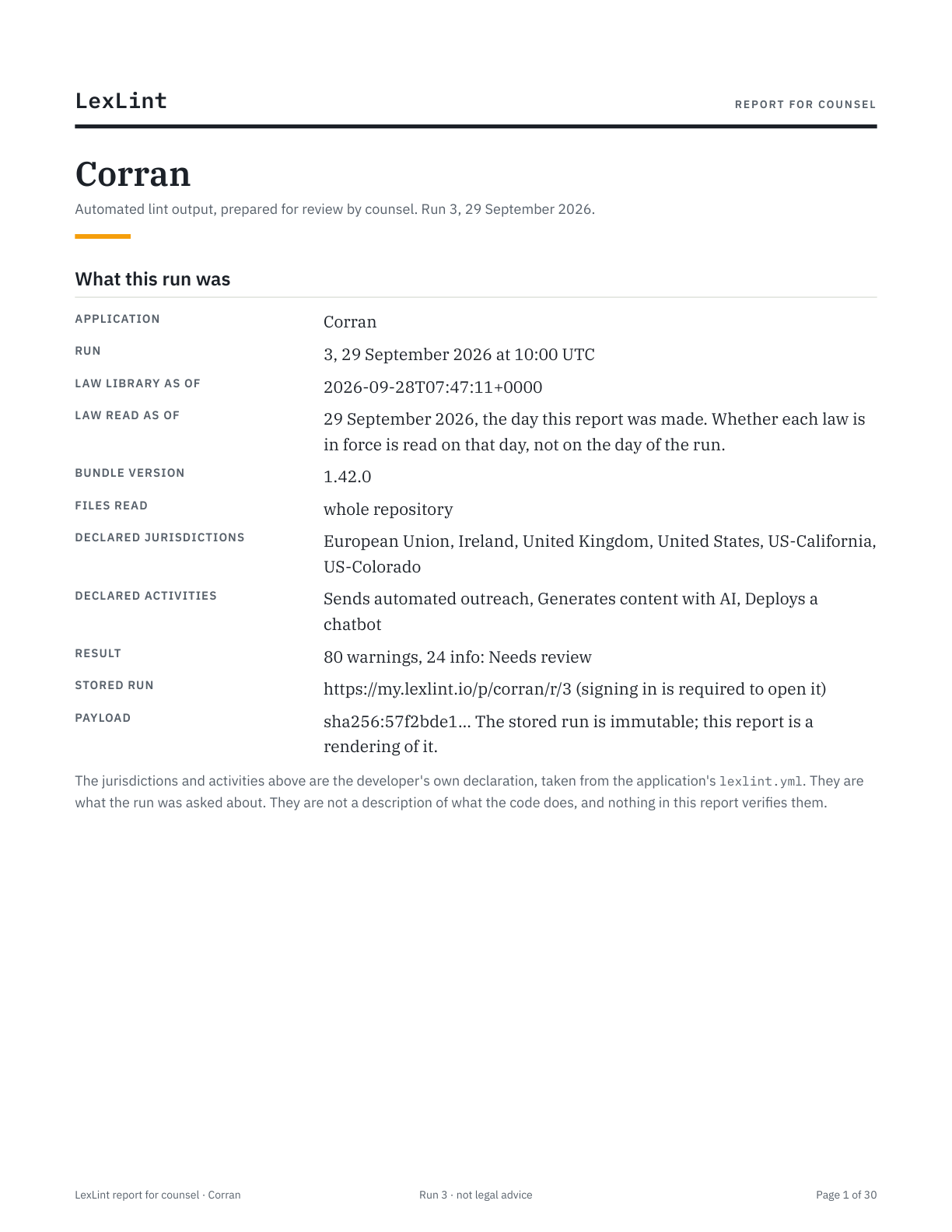
Page one of the Counsel report for a Corran run
Page one of the Counsel report.

Set it up for your team

Write to hello@ungovr.org with where your company operates. We reply within a working day.

Think a finding is wrong? Write to the same address.

What the lint covers is in the law library.